Comic avatar explainer video — Editorial avatar style
Make a video with a bold-line comic narrator who changes pose each sentence, stickers that pop on the word and paper that switches colour by chapter.
Termasuk dari Starter, dengan semua 81 gaya plus milikmu sendiri · pratinjau dibuat oleh mesin ClipOnIt
Tampilan gaya ini
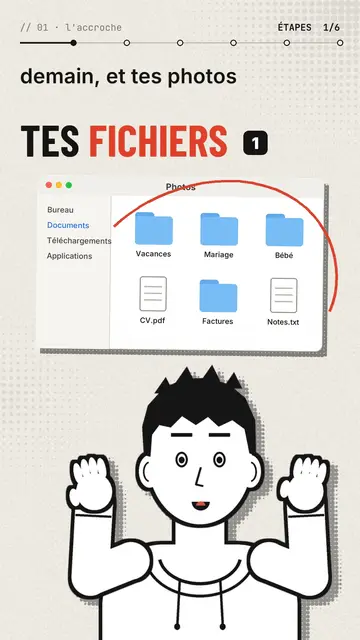
Editorial avatar puts a comic-drawn narrator at the bottom of the screen, in bold black line, who talks to you like a presenter. With each sentence it changes pose: it points, raises its hands, facepalms, pulls out a magnifier, holds its chin or gives a thumbs up. Its face follows the tone, surprised, sly or worried. Above it, stickers pop on the word: a Finder window, a terminal, a certificate with a medal, a sealed envelope, a before/after.
The background is a lightly halftoned cream paper that switches to red, black or navy when a new chapter starts. Titles are in condensed grotesque, one word in red, with a numbered badge, and a mono breadcrumb at the top shows where you are (“// 03 · the prompt”). A red circle can ring a detail of a sticker, and the end types “Comment WORD” into a comment field before the subscribe button.
Cocok untuk topik apa
Avoid: topics set in a specific place or that need maps and landscapes: the set stays plain paper. Also avoid stories with several characters; there is only one narrator.
- Tool and AI tutorialsThe narrator points at the window or the terminal while explaining, like a teacher in front of the screen.
- Faceless channelsThe avatar gives the channel a face without you having to film yourself.
- Practical tipsOne chapter per tip, one paper colour per chapter: the structure shows.
- Common mistakesThe facepalm and the red circle on the sticker say “don't do this” better than a sentence.
Ide video dengan gaya ini
- The 3-2-1 backup rule
The Photos window popping up, the three copies as stickers and the narrator pointing at the external drive.
- Write a good prompt in 4 steps
One chapter per step, the terminal as a sticker and a thumbs up on the good example.
- Spot a scam email
The sealed envelope, the red circle on the address and the facepalm on the trap link.
- What your certificate really proves
The medal certificate, the magnifier and the paper turning black for the warning.
Dapatkan dalam 1 klik
- Buka tautan gaya ini
Tombol “Buat video dengan gaya ini” membuka editor dengan gaya ini sudah dipilih. Tanpa akun, mendaftar hanya butuh satu menit dan tidak perlu kartu.
- Tulis topikmu dalam satu kalimat
Satu ide sudah cukup. Kamu juga bisa menempel teks atau, mulai dari Starter, berbicara lewat mikrofon: video kemudian dibuat berdasarkan suaramu.
- Tinjau, lalu render
AI menulis adegan, memilih elemen gaya dan mengatur waktunya sesuai kata-kata, lengkap dengan suara dan keterangan. Kamu perbaiki yang kurang pas, lalu MP4 vertikal siap dalam beberapa menit.
Yang bisa kamu sesuaikan
For each scene you pick the chapter name, the paper colour, the title and its style (grotesque or serif), up to three stickers with the word where they pop and the word where a red circle rings them, the narrator's pose and expression, confetti and the word to comment at the end.
Pertanyaan yang sering diajukan
Gratis atau tidak, hasilnya, penggunaannya: jawaban singkatnya.
Can the narrator look like me?
The built-in narrator is the same for everyone. For a look of your own, import your own style from reference images, from Starter.
Bisakah saya memakai suara saya sendiri?
Yes. Record yourself or import your audio: poses and stickers change on the words you say.
How is it different from Drawn actor?
Drawn actor is a pencil performer acting each sentence in close-up. Editorial avatar is a comic presenter at the bottom of the screen who shows stickers and windows.
Apakah gaya ini termasuk paket gratis?
Tidak, ini termasuk di Starter ($29/bulan): 15 video bebas watermark sebulan, semua 81 gaya plus milikmu sendiri. Paket gratis memberi 3 video sebulan dengan watermark dalam 8 gaya lain: Pixel News, Press paper, Comedy cartoon, Class sketch, Night tale, Social screen, Retro synthwave dan Flat vector.
Jika kamu suka gaya ini
Animated cartoon character video
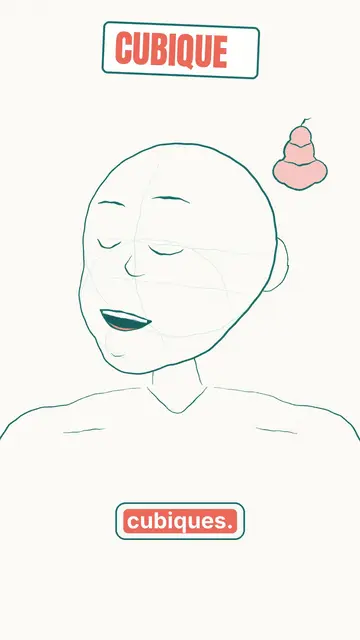
Drawn actor style · A pencil-drawn character performs your script like an actor, one expression at a time.
Review video on a stage
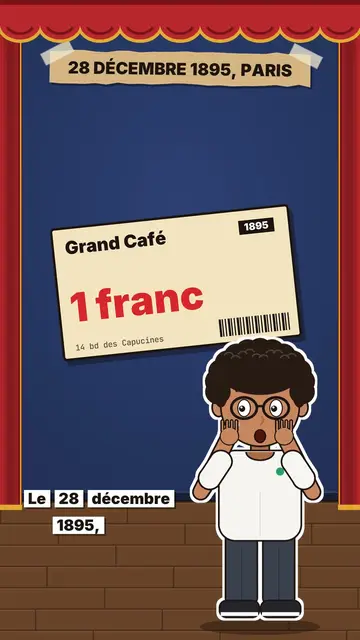
Little flat theatre style · A small flat-colour theatre stage: red curtain, changing wall, an avatar who acts and reacts.
Cut-out photo dialogue video
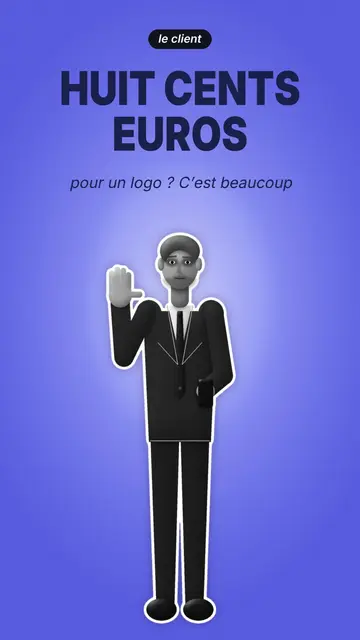
Cut-out photo style · Black-and-white people cut out like stickers on a blue-violet gradient, a giant navy title.
Ide kamu, dalam gaya ini
Tulis kalimat atau ucapkan: gaya sudah dipilih saat kamu masuk ke editor.