Step-by-step method video — Pegboard workshop style
Make a step-by-step method video on a workbench: labels dropping off a pegboard, gauges draining, crossed-out lists and caution tape across the top.
Termasuk dari Starter, dengan semua 81 gaya plus milikmu sendiri · pratinjau dibuat oleh mesin ClipOnIt
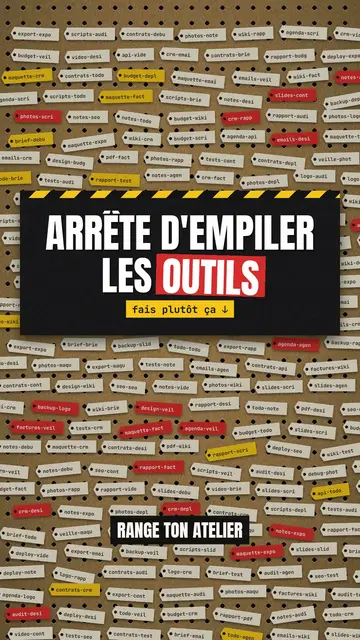
Tampilan gaya ini
Pegboard workshop hangs everything on a brown cardboard board full of holes, like the wall of a tidy workshop. Ideas become red and yellow labels that come loose and fall when they are ruled out, clipboards with a list crossed out in red marker, test tubes that act as gauges and drain before your eyes. Yellow and black caution tape runs across the top when viewers need to be careful.
Titles are in condensed capitals, with the key word on a red or yellow band. Labels speak in mono, numbers are bold, and blue pill buttons or letter keys show the action to take. For a strong moment, the background switches to black or to full-screen yellow with tape. Each step has its red number and cream label at the top left: viewers follow the method like a workshop sheet.
Cocok untuk topik apa
Avoid: emotional stories or tales with characters: the board shows objects, steps and numbers. Also avoid topics without concrete action; every label should say something you can do or sort.
- Organisation methods5S, sorting, tidying: each step becomes a label you hang up or take down.
- Tool tutorialsLetter keys and blue buttons show the exact move, step by step.
- Mistakes to stop makingThe marker-crossed list and the “NO” stamp clearly say what to stop.
- Business processesA quality procedure or an onboarding reads like a sheet pinned up in the workshop.
Ide video dengan gaya ini
- The 5S method in 30 seconds
Five numbered steps, useless labels falling off and the “COMPLIANT” stamp at the end.
- Tidy your desk in 4 steps
The crossed-out clipboard, the clutter gauge draining and the blue “done” button.
- 3 shortcuts nobody uses
Letter keys pressing down, the “caution” tape and the number of minutes saved.
- Sort your email without losing the day
Labels to keep, labels that drop and the inbox gauge going down.
Dapatkan dalam 1 klik
- Buka tautan gaya ini
Tombol “Buat video dengan gaya ini” membuka editor dengan gaya ini sudah dipilih. Tanpa akun, mendaftar hanya butuh satu menit dan tidak perlu kartu.
- Tulis topikmu dalam satu kalimat
Satu ide sudah cukup. Kamu juga bisa menempel teks atau, mulai dari Starter, berbicara lewat mikrofon: video kemudian dibuat berdasarkan suaramu.
- Tinjau, lalu render
AI menulis adegan, memilih elemen gaya dan mengatur waktunya sesuai kata-kata, lengkap dengan suara dan keterangan. Kamu perbaiki yang kurang pas, lalu MP4 vertikal siap dalam beberapa menit.
Yang bisa kamu sesuaikan
For each scene you pick the background (board, black or yellow with tape), the title and the colour of its band, a numbered section, a small tag under the title, a stamp, a source note, and one piece on the word: number, gauges, clipboard, labels, terminal, button, object or keys.
Pertanyaan yang sering diajukan
Gratis atau tidak, hasilnya, penggunaannya: jawaban singkatnya.
Does the style work for internal training?
Yes. Numbered steps, crossed-out lists and stamps suit procedures, safety rules and team methods well.
Bisakah saya memakai suara saya sendiri?
Yes. Record yourself or import your audio: each label drops and each gauge drains on your words.
How is it different from Terracotta studio?
Terracotta studio shows UI cards floating on cream. Pegboard workshop hangs physical cardboard objects: labels, gauges, clipboards, tape.
Apakah gaya ini termasuk paket gratis?
Tidak, ini termasuk di Starter ($29/bulan): 15 video bebas watermark sebulan, semua 81 gaya plus milikmu sendiri. Paket gratis memberi 3 video sebulan dengan watermark dalam 8 gaya lain: Pixel News, Press paper, Comedy cartoon, Class sketch, Night tale, Social screen, Retro synthwave dan Flat vector.
Jika kamu suka gaya ini
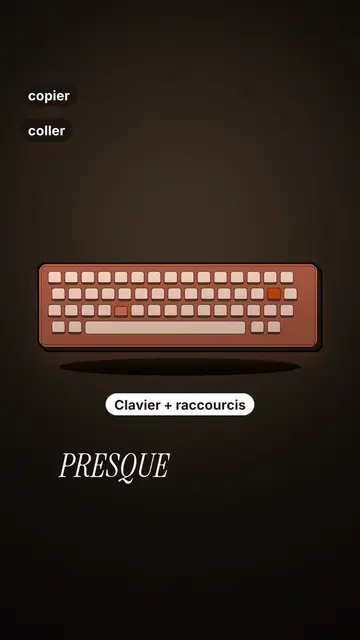
Tech tutorial video maker
Terracotta studio style · Tutorials told with UI cards floating in light 3D on cream: numbered labels, rolling counters, terracotta title plates.
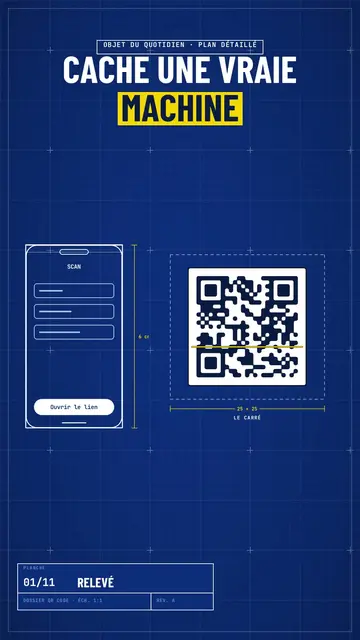
Blueprint diagram video
Blue blueprint style · A gridded blue blueprint sheet: line-drawn wireframes, dimensions, a title block and a yellow note.
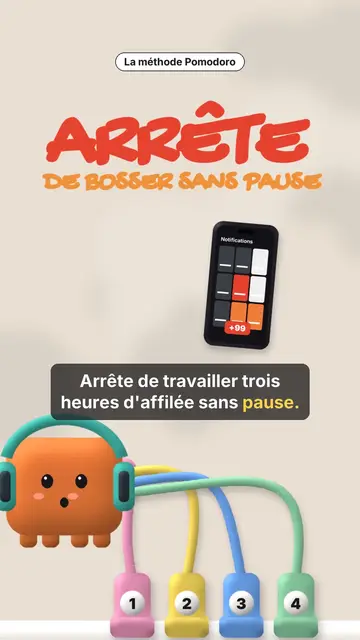
Clay 3D step-by-step video
Clay mascot style · A clay cube mascot plugged by cables into numbered sockets, one per step.
Ide kamu, dalam gaya ini
Tulis kalimat atau ucapkan: gaya sudah dipilih saat kamu masuk ke editor.