Tech tutorial video maker — Terracotta studio style
Make a tech tutorial video with UI cards floating in light 3D on cream: numbered labels, rolling counters, terracotta plates and italic serif captions.
Termasuk dari Starter, dengan semua 27 gaya plus milikmu sendiri · pratinjau dibuat oleh mesin ClipOnIt
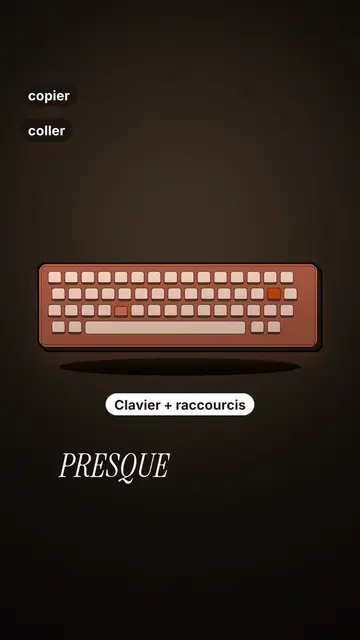
Tampilan gaya ini
Terracotta studio explains a tool as if on a tidy workbench. On a cream background, interface cards float in light 3D, with real perspective and a warm shadow: an app window, a list of steps, an editing timeline, a sound wave drawing itself, a pad of keys lighting up one by one. At the top, a numbered label (“01”, the tool's name, “free”) says where you are and stays put while that tool is discussed. Each card enters on the word that names it.
The promise lands on a solid terracotta plate: an asterisk, an extra-bold grotesque title and an underlined italic serif word. The key number rolls in a giant counter above a floor of small cards in perspective. Small labels pop around the cards on the strong words, and captions run word by word in uppercase italic serif, the key word in terracotta. The end shows a numbered card and a button that lights up and then gets clicked.
Cocok untuk topik apa
Avoid: stories carried by characters, places or emotions: the style shows interfaces, lists and numbers, not scenes from life. Also avoid topics without steps or a concrete tool; a card should always show something you can do.
- Tool tutorialsEach tool gets its numbered label and its cards: viewers follow the order without getting lost, even in 30 seconds.
- Tech tipsA shortcut, a hidden setting, a command: the lit keys and the window show the exact move.
- How things workA search, a sound, an edit: the card filling up shows the mechanism step by step.
- Free tools and app round-ups“3 free tools”, “5 apps to install”: the plate announces the number, the end card sums up the list.
Ide video dengan gaya ini
- 3 keyboard shortcuts that save time
The lit keys, the closed-tabs window, the clipboard history and the card to keep.
- 5 free sites to find sounds
One label per site, the wave drawing itself, the counter of royalty-free sounds and the final list.
- How AI finds an image in one second
The typed search, the scrolling film strip, the image at the exact frame and the accuracy score.
- Editing a video on your phone
The timeline where clips stack up, the sound meter and the “Export” button clicked at the end.
Dapatkan dalam 1 klik
- Buka tautan gaya ini
Tombol “Buat video dengan gaya ini” membuka editor dengan gaya ini sudah dipilih. Tanpa akun, mendaftar hanya butuh satu menit dan tidak perlu kartu.
- Tulis topikmu dalam satu kalimat
Satu ide sudah cukup. Kamu juga bisa menempel teks atau, mulai dari Starter, berbicara lewat mikrofon: video kemudian dibuat berdasarkan suaramu.
- Tinjau, lalu render
AI menulis adegan, memilih elemen gaya dan mengatur waktunya sesuai kata-kata, lengkap dengan suara dan keterangan. Kamu perbaiki yang kurang pas, lalu MP4 vertikal siap dalam beberapa menit.
Yang bisa kamu sesuaikan
For each scene you pick one to three cards out of twelve (window, list, timeline, wave, pads, counter, meter, score, numbered frames, search, film strip or a library element), the numbered label for that part, up to three small labels and the word where each one appears. A terracotta plate carries the promise, a number shot rolls the key figure, and the end card lists your tools with a button. Your own voice works too: everything locks onto the spoken words.
Digambar dalam gaya ini
9 517 elemen di pustakanya, bisa dicari berdasarkan makna. Beberapa di antaranya:
 Karakter
 Perangkat
 Dokumen & tempat
 Data
 Latar
 Antarmuka
 Sains
 Tindakan
Pertanyaan yang sering diajukan
Gratis atau tidak, hasilnya, penggunaannya: jawaban singkatnya.
Do I need screenshots of my tools?
No. The engine draws the interface cards from your text: titles, lines, keys, numbers. No screenshot or brand logo is used.
Bisakah saya memakai suara saya sendiri?
Yes. Record yourself or import your audio: every card, every key and every caption word locks onto what you say.
How is it different from Clean interface?
Clean interface tells a story in OS-style windows with a clicking cursor. Terracotta studio is built for tutorials: cards in light 3D, a numbered label per tool, terracotta plates and counters.
Apakah gaya ini termasuk paket gratis?
Tidak, ini termasuk di Starter ($29/bulan): 15 video bebas watermark sebulan, semua 27 gaya plus milikmu sendiri. Paket gratis memberi 3 video sebulan dengan watermark dalam 8 gaya lain: Pixel News, Press paper, Comedy cartoon, Class sketch, Night tale, Social screen, Retro synthwave dan Flat vector.
Jika kamu suka gaya ini
UI motion design explainer video
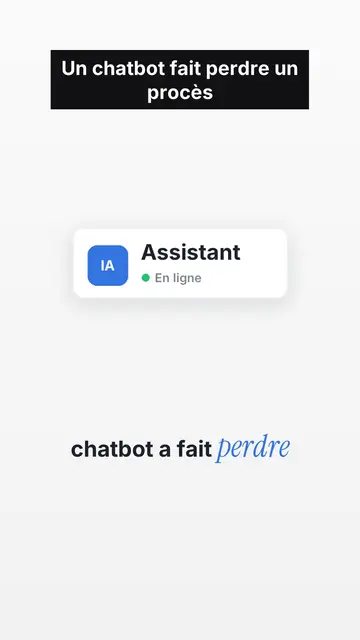
Clean interface style · The story played out in clean interface cards: windows, buttons, a cursor clicking on the word, key word in serif.
Tech top list video maker
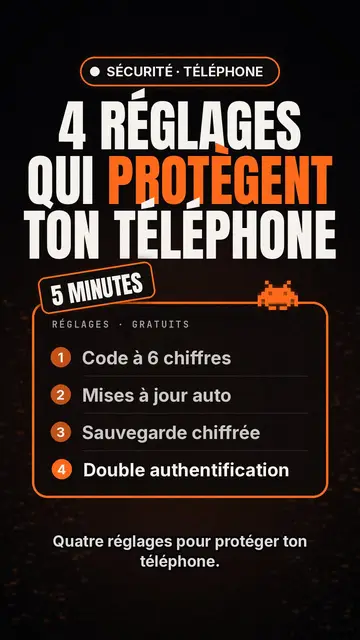
Gaya daftar Tech · Kartu Tech di latar hitam, lencana bercahaya, daftar bernomor.
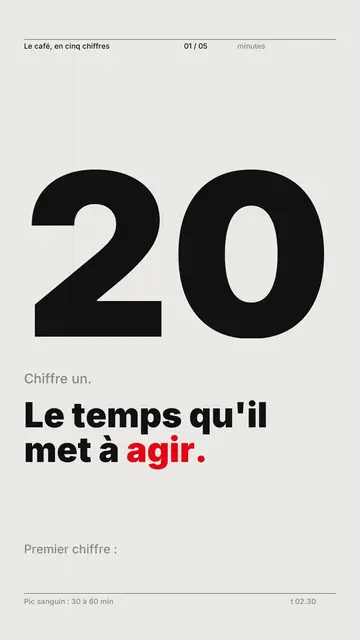
Pembuat video typography kinetik
Gaya grid Swiss · Tipografi Swiss: kertas terang, grid ketat, angka besar, satu warna sinyal.
Ide kamu, dalam gaya ini
Tulis kalimat atau ucapkan: gaya sudah dipilih saat kamu masuk ke editor.